ust imagine, when presenting an API interface to clients, a well-structured and visually appealing document can double the efficiency of communication and collaboration. When a new team member joins, an internally consistent and visually comfortable knowledge base can significantly shorten the onboarding period. The value of documentation is shifting from “functionality” to “experience,” with visual design and interaction being the key factors that create the distinction.
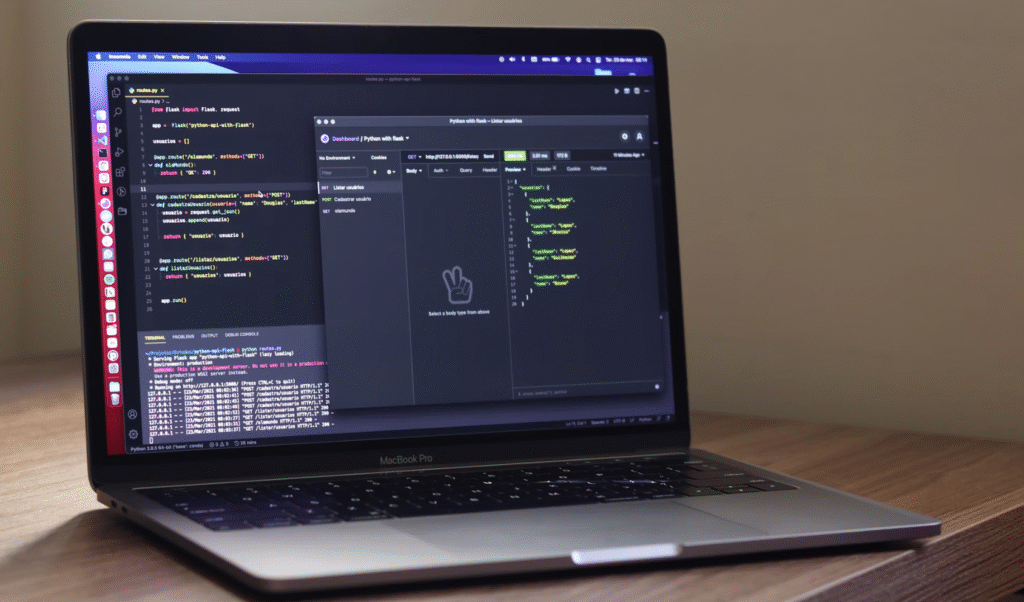
So, the question is: Are there tools that can ensure professionalism while also making your documents look stunning? Today, we’ve curated the Top 10 Stylish Document Tools for 2025 for AI practitioners, developers, and enterprise teams, covering various scenarios like API documentation, developer guides, and internal knowledge bases. Let’s take a look!
1. Apidog: The All-in-One API Workflow Tool with Stunning Design and Efficiency
If you’re part of an API development team, Apidog will undoubtedly revolutionize your workflow. It’s not just a documentation tool, but a comprehensive platform that combines API design, testing, mocking, and documentation generation. Apidog automatically generates clean, interactive documentation in real-time based on your API structure, and the best part is that the documentation seamlessly syncs throughout the entire API lifecycle (from design to deployment), eliminating the need to switch between multiple tools!
Visual Highlights:
- Modern and minimalist interface with easy switching between dark and light themes
- Built-in real-time API testing console, so developers can directly call documentation while coding
- Responsive layout, ensuring a great viewing experience on mobile devices
Ideal For:
Teams focused on API development, especially those aiming for an integrated end-to-end process from design to production.
2. Docusaurus: The Developer Documentation Tool by Meta
Docusaurus, developed by Meta (formerly Facebook), has become a “go-to tool” in the world of developer documentation. Built on the React framework and supporting Markdown format, it allows technical teams to easily write documentation while offering the flexibility to customize the front-end interface with React components. The out-of-the-box features like version control, search functionality, and multi-language support, combined with the powerful open-source community ecosystem, make it a “documentation lifesaver” for open-source projects.
Visual Highlights:
- Comes with a stylish default theme, with support for custom theme styles
- Smooth navigation and search functionality, ensuring clear and structured content
- Developer-friendly, seamlessly integrating coding and documentation tasks
Ideal For:
Open-source projects, developer portal websites, and building technical knowledge bases.
3. ReadMe: Making API Documentation as User-Friendly as an App
ReadMe has a clear goal: to transform API documentation from a “boring manual” into an “interactive application.” It supports automatic documentation generation, API key management, direct interface calling within the browser, and even includes usage analytics to help you understand how users interact with your API.
Visual Highlights:
- Built-in “API Playground” where developers can directly test APIs online
- Customizable branding themes, ensuring the documentation style aligns with your product’s visual identity
- Interactive code snippets with support for language switching
Ideal For:
SaaS platforms, API service providers, and teams looking to create a professional developer portal.
4. Stoplight: A Design-First API Documentation Tool
If your team follows a “design-first” API development process, Stoplight is the perfect tool for you. It comes with a built-in OpenAPI visual editor that allows documentation to be automatically generated from the design phase. It also provides professional theme styles and Markdown support. What’s even better is its deep Git integration, making version control of documentation as easy as managing code.
Visual Highlights:
- Visual API design interface, making the documentation accessible even to non-technical stakeholders
- Clean and professional themes, ideal for enterprise-level scenarios
- Syncs with code repositories, automatically tracking documentation updates based on code changes
Ideal For:
Teams adopting an OpenAPI-first development approach, especially those emphasizing design and development collaboration.
5. GitBook: From Developer Tool to Enterprise Knowledge Base
Originally created as a documentation tool for developers, GitBook has evolved into an enterprise-level knowledge platform. It supports both public and private document management, offering real-time collaboration, commenting features, and rich media embedding (such as videos and charts). Whether you’re writing technical guides or managing an internal team wiki, GitBook is a perfect fit.
Visual Highlights:
- Minimalist layout design, focusing on content
- Supports both Markdown and visual editing modes
- Simple document publishing process, allowing quick sharing via generated links
Ideal For:
Enterprise internal knowledge bases, developer team collaboration documents, and external technical guides.
6. Swagger UI: The “Go-To Tool” for REST API Documentation
When it comes to OpenAPI documentation, almost every developer thinks of Swagger UI. This open-source tool automatically generates interactive documentation interfaces from JSON/YAML-formatted API definitions, supports “online debugging,” and can be embedded into any application. While its theme customization options are limited, it stands out for being lightweight, stable, and having strong community support.
Visual Highlights:
- Powerful interactive features, allowing direct API calls
- Dark and light theme options, adaptable to different usage scenarios
- Clean layout that highlights API parameters and response examples
Ideal For:
Teams using Swagger/OpenAPI specifications for REST APIs, especially in scenarios where fast documentation generation is needed.
7. Slate: The Quintessential Two-Column REST API Documentation
If you’ve seen the API documentation for Stripe or Twilio, you’ve likely encountered Slate. This open-source tool is known for its iconic two-column layout: the left side displays Markdown text explanations, while the right side showcases code examples. With smooth scrolling navigation and an automatically generated table of contents, developers can quickly locate the information they need.
Visual Highlights:
- The two-column layout is intuitive and clear, ideal for viewing explanations while writing code
- Supports customizable themes and styles, easily adapting to brand visuals
- Lightweight design with ultra-fast document loading speed
Ideal For:
Building REST API documentation, especially for technical teams focused on showcasing code examples.
8. Redocly: The Visual Champion for Enterprise-Grade API Documentation
For complex API systems in large enterprises, Redocly is an excellent choice. Based on the OpenAPI specification, it can quickly render massive amounts of API documentation, supporting custom branding themes, mobile optimization, and intelligent search. It even generates navigation panels for extremely large APIs, making the document structure crystal clear.
Visual Highlights:
- Powerful performance, smoothly loading thousands of lines of API documentation
- Robust theme system, allowing customization of enterprise-specific visual styles
- Responsive design, providing excellent mobile and tablet experiences
Ideal For:
Enterprise-level API platforms and technical teams handling complex documentation structures.
9. Notion: More Than Just Notes, It’s the Ultimate Team Documentation Tool
While Notion wasn’t specifically designed for documentation, it has become a “game-changer” for internal team collaboration! With its drag-and-drop interface, rich block components (such as tables, Kanban boards, and code blocks), real-time collaboration, and commenting features, Notion has become the go-to tool for quickly building internal guides.
Visual Highlights:
- Modular design, allowing flexible combination of text, images, code, and more
- Beautiful typography, with support for dark mode and custom color schemes
- Smooth collaboration experience, ideal for fast-paced document iteration
Ideal For:
Team internal wikis, quick-start project documentation, and collaboration scenarios where non-technical members are also involved.
10. MkDocs + Material Theme: The Elegant Choice for Python Developers
If you’re a Python developer, you can’t miss MkDocs. This static site generator, paired with the Material for MkDocstheme, instantly transforms into a visually appealing documentation tool. With a Material Design-based interface, fast search, syntax highlighting, and tabbed navigation, it combines both style and practicality for your documentation needs.
Visual Highlights:
- Follows the Material Design guidelines, with clear visual hierarchy
- Supports quick Markdown writing, with fast document building and deployment
- Lightweight design, perfect for managing documentation for small to medium-sized projects
Ideal For:
Python project documentation and technical teams needing clean, beautiful static documentation.
Conclusion:
As the demand for high-quality documentation continues to grow, selecting the right tools can make all the difference in streamlining workflows, enhancing collaboration, and improving overall user experience. The tools listed above represent a diverse range of solutions, each offering unique features that cater to different needs — from API documentation to internal knowledge bases. Whether you’re a developer, part of a small team, or managing enterprise-level projects, there’s a tool in this list that can elevate your documentation game. By choosing the right combination of style, functionality, and integration, you can create documentation that not only meets the technical requirements but also provides a seamless, engaging experience for both your team and users.